Pay For Your NBI Clearance Using GCash
Getting your NBI Clearance used to take so much time — long lines, early mornings, and hours of waiting. But now, things are easier. You can pay your NBI Clearance using GCash right on your phone. No need to leave home, no need to line up. If you’re wondering, “Can I really pay my NBI Clearance with GCash?” — yes, you can. It’s fast, simple, and convenient. This guide will show you exactly how to do it, step by step.
Why Use GCash to Pay for NBI Clearance?
Let’s be honest — no one likes standing in line just to make a payment. It’s tiring and takes too much time. With GCash, you can pay for your NBI Clearance anytime, anywhere using just your phone.
Here’s why GCash is a smart choice:
- Convenient: Use your phone and internet — no need to go out.
- Fast: Your payment usually shows up within minutes.
- Secure: Every payment is protected by an OTP.
- Accessible: You can pay even on weekends or holidays.
Once you’ve paid, you’re done — no waiting, no hassle, just a quick and easy transaction.
Requirements Before Paying via GCash
Before you start, make sure you have:
- A GCash account with ₱130–₱155 balance
- A good internet connection
- Your NBI reference number
- The latest GCash app on your phone
Once you have these ready, you can pay your NBI Clearance smoothly and without any trouble.
Step-by-Step Guide: How To Pay NBI Clearance Using GCash
- Go to https://clearance.nbi.gov.ph.
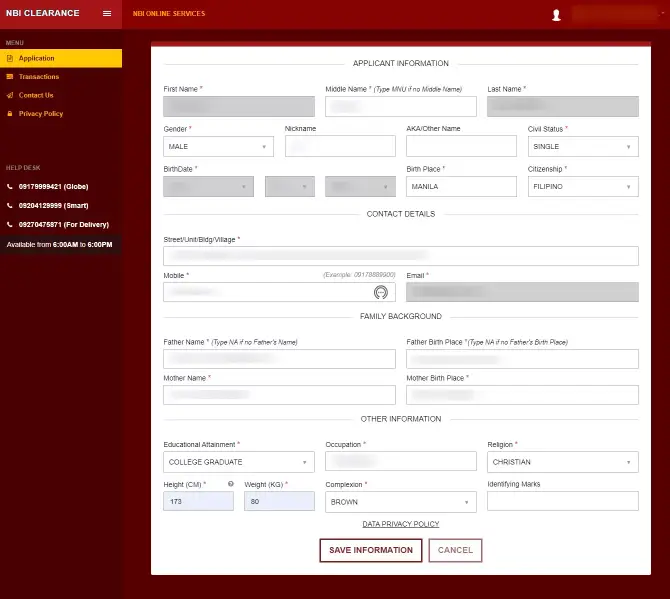
- Log in or sign up for an account.
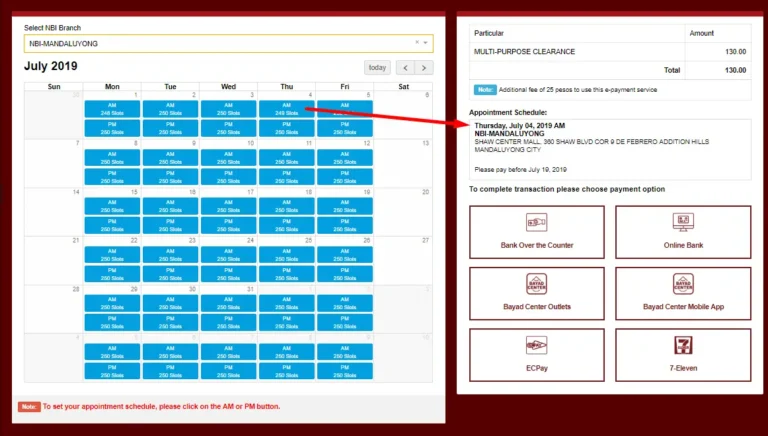
- Fill out the form and pick your branch and schedule.
- Choose GCash under Payment Options.
- Copy or take a screenshot of your reference number.
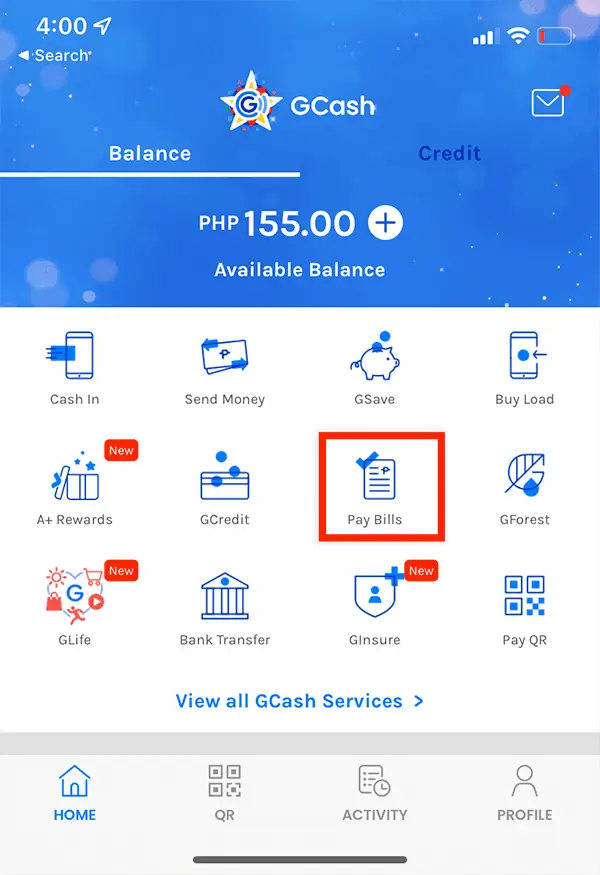
- Open the GCash app, tap Bills, then Government.
- Select NBI, enter your reference number, and review the details.
- Tap Next, then Confirm to pay.
That’s it! Your NBI Clearance payment is done in just a few steps.
How To Confirm If Payment Was Successful
Here’s how to check if your payment went through:
- Check your phone or email for a GCash confirmation message.
- Log in to the NBI Clearance website and see if it says “Paid.”
- Open your GCash app and look for the payment in your transaction history.
If it doesn’t show up right away, wait a few minutes and refresh the NBI page.
Common Issues and How To Fix Them
Sometimes things don’t go as planned — and that’s okay. Here’s what to do:
- Payment not showing: Wait up to 24 hours before contacting support.
- Wrong reference number: Check your details before submitting.
- GCash app not working: Clear the cache or update the app.
- Money deducted but not paid: Message GCash Help Center or NBI Support with your receipt and reference number.
Most problems like these can be fixed easily. Just stay calm and keep your proof of payment.
Tips for Smooth NBI Clearance Payment
- Make sure your internet is strong and steady.
- Take a screenshot of your payment confirmation.
- Avoid paying late at night when GCash is under maintenance.
- Use the same name on your GCash and NBI application.
- Double-check all details before confirming payment.
A little care now can save you a lot of trouble later.
Alternative Payment Methods (If GCash Fails)
If your GCash payment doesn’t go through, don’t worry. You can still pay using:
- Maya (PayMaya)
- 7-Eleven via CLiQQ
- Bayad Center
- ECPay outlets
- Bank over-the-counter (BancNet partners)
Still, GCash is the easiest option. Just check your internet and balance, then try again.
FAQs
- Can I pay for my NBI Clearance using GCash without applying online?
No. You need to apply first on the NBI website and get your reference number. - How long does it take for my payment to appear?
Usually within 5 to 15 minutes, but it can take up to 24 hours. - What if I was charged but the site says unpaid?
Contact GCash support and give them your payment details and receipt. - Is there a service fee?
Yes. There’s a ₱25–₱30 service fee per transaction. - Can I pay for someone else’s NBI Clearance?
Yes. Just use their correct reference number when paying.
Conclusion
Paying for your NBI Clearance using GCash is simple and convenient. You don’t need to leave your house or wait in long lines. Just open the GCash app, enter your reference number, and confirm your payment. It’s fast, safe, and done in minutes — no stress, no hassle.